
Lift Operation Training
Enter your name and password to begin.
Enter your name and password to begin.
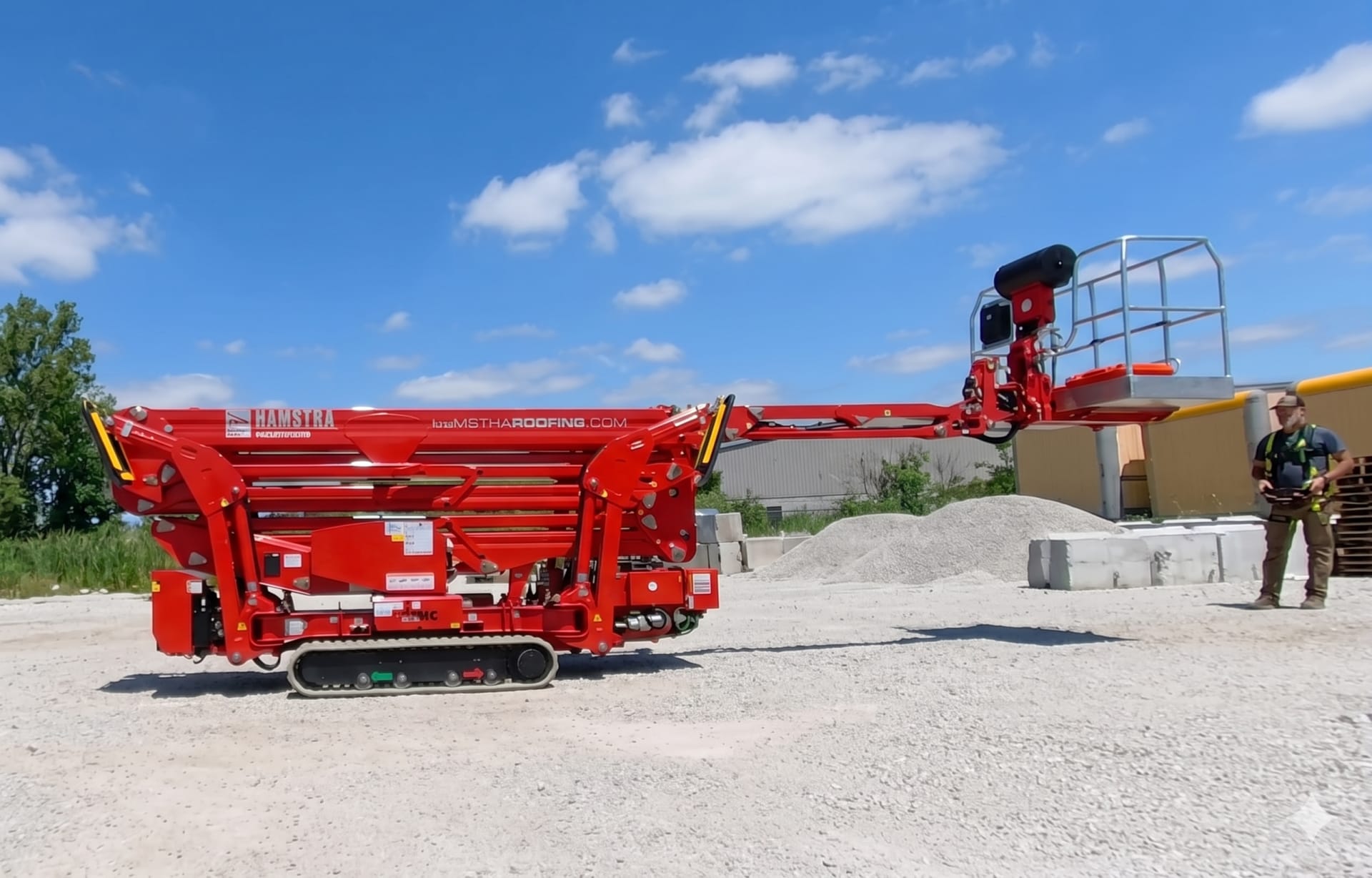
From safe unloading to flying the boom — master every aspect of aerial lift operation, maintenance, and troubleshooting.
Before the boom moves an inch, you need to safely unload the machine, know your power options, start the engine correctly, and understand the remote in your hand. These four videos cover everything that happens before you go up.
Remove all five straps before tilting the trailer — four inside, one exterior.
The remote is a $7,000 component. Keep it in its case whenever it's not in active use.
Stage 3 is the maximum height that still maintains the machine's auto-level feature.
Running on 110V indoors? You must use at least 12-gauge cord — smaller won't provide enough power.
1. Diesel Engine — The primary power source for all normal outdoor operations. This is the default.
2. Electric (110V Outlet) — Used inside buildings (churches, warehouses) where diesel exhaust is prohibited. All machine functions work identically on electric. You must use at least a 12-gauge extension cord — smaller cords cannot power the machine on.
3. Emergency Electro-Pump — Runs off the machine's own battery. This is not a substitute for diesel or electric — it is for emergency use only to safely lower a worker who is stuck in the air if the diesel fails or fuel runs out. Do not use it for extended operation.
Two-Key System: Key #1 selects the control mode — radio (ground) or basket. Key #2 powers the machine. For a cold start, turn Key #2 to the next stage to engage the glow plugs and wait for the orange light to turn off before starting the engine.
Connecting the Radio: Turn on the remote and look for the blinking light. Press the green button to connect. A fully lit display confirms you are connected to the machine.
Track Width: Keep the tracks in the extended (out) position at all times for stability, unless you are navigating through a narrow gate.
Traveling on Slopes: On hilly job sites, keep outriggers partially extended while traveling. If the machine tips, it lands on the outriggers — not on the booms.
Outrigger Stages:
Machine Anatomy: The basket attaches to the jib (extra reach). The upper boom lifts and telescopes. The lower boom (lower pantograph) has two sections that operate simultaneously for vertical lift.
| Icon Color | Function Category | Active When |
|---|---|---|
| Orange | Ground Controls — driving, tracks in/out | Outriggers in up position |
| Yellow | Aerial Functions — boom & basket movements | Outriggers deployed (disabled when up) |
| White | Leveling / Swivel — tilt and level basket | Any position |
Enable Buttons: Either the left or right enable button must be held to perform most operations.
Aerial Override: To operate aerial functions like the jib while outriggers are still up, press both the enable button and the park button simultaneously.
Speed Modes: High, Medium, and Turtle (slow). Always use Turtle for loading/unloading.
Start/Stop: One toggle shuts off or starts the engine. The red emergency stop is for emergencies only — not for routine shutdown.
Ground vs. Basket Remote Difference: The basket remote has one additional white icon for swiveling the basket side to side. Otherwise they are nearly identical.

True or False — 4 questions, 25 pts each
Module 1 Score
Three ways to control the machine, and how to fly it from the basket. Understand which control method to use and when — including the backup systems if electronics fail.
Standard operation from the ground. Runs off an internal battery — a spare is kept charged in a dedicated box. If both batteries die, plug the remote directly into the machine via a tether cord.
Nearly identical to the ground remote but activates from inside the basket. Switching to basket controls disconnects the ground radio. Follow the startup procedure to ensure proper connection.
Ground controls allow a ground operator to bypass all electronics and manually push valves. In total power failure, a lever can manually pump the hydraulics — instructions are in the owner's manual.
Entering Basket Mode: Set Key #1 to "basket mode." Turn on the basket remote and press the green button — all lights illuminate when connected. Put on your safety lanyards before any movement. Activate functions using either the dead man foot switch (blue toe button) or the upper enable button.
Before You Go Up:
Flying the Machine: Use the joysticks to operate the upper boom and telescope outward to reach your target. Once clear of obstacles, rotate the turret as needed. Note: the lower boom may move more slowly as it approaches its lifting capacity limit.
Returning to Stow:
Drag & Drop — match each control method to its description, 25 pts each
Drag these →
→ Drop into the correct description
Module 2 Score
The machine can supply power, air, and water to the basket — and it requires regular greasing to keep the turret healthy. Small mistakes in either area create big problems.
Power in the Basket: The machine uses a power-in-the-basket system — an extension cord runs through the boom rather than requiring a separate power source. To supply power to the basket, place a generator on the custom platform on the opposite side of the machine and plug it into this cord. The generator travels with the machine.
Air or Water Supply: The boom is plumbed with a high-pressure hydraulic line that can carry air or water:
Frequency: The turret needs to be greased often — this is a frequent maintenance task, not a seasonal one.
Positioning: To access the turret grease circuit, the boom must be twisted at a 90-degree angle. This exposes the base of the turret.
Accessing the Circuit: The grease fitting is at the base of the turret. Move the wire loom and hoses out of the way to reach it with the grease gun.
Multiple Choice — 5 questions, 20 pts each
Module 3 Score
The machine will test you. These three videos cover the most common field problems — engine won't start, boom won't lift, and outrigger pressure errors. Know these cold before your first job.
1. Battery Cutoff Switch — If there is absolutely no battery power, the battery cutoff switch is the most likely cause. This switch is used when leaving the machine on a job site overnight. Make sure it is set to the "ready to run" position rather than "shut off."
2. Emergency Shutoff Switches — The machine has multiple kill switches on the main unit and inside the basket. If any are pushed in, the machine will not start. These switches look like they've popped back out, but they usually require a twist to fully reset and release. Check every emergency shutoff switch on the machine.
3. Remote Control Issues — If the controls are in the start position but the remote has no battery power, the machine will not receive the start signal. Check that the remote batteries are charged or that the unit is properly powered.
If the machine suddenly stops functioning and feels like it's "quitting" on you, check for an outrigger pressure warning. An LED light on one of the outriggers indicates the machine no longer detects pressure on that specific leg — it may think you've broken through frost or soft mud.
How to Fix It:
1. Locking Pins Not Fully Seated — The boom will not move if the outrigger locking pins are not fully locked into place. Although the status may show on the display, the indicator lights can be misleading. Physically check that all pins are completely down — every single time you set up.
2. Basket Out of Level — After performing multiple functions, the basket can work its way out of level. Check the display for the specific LED light that indicates this condition. Leveling the basket should restore full boom operation.
Multiple Choice — 4 questions, 25 pts each
Module 4 Score
Test your knowledge across all four modules before the final exam. Earn bonus points — jeopardy scores are added on top of your regular total.
15 questions, 45 seconds each. All four modules covered. 20 points per correct answer — 300 points total. This triggers your certificate of completion.
Covering all four training modules.
The clock resets on each new question.
300 points total available on the final exam.
Total Points Earned
Enter your name to generate your certificate of completion.

Loading history...